KDP formatting
Format your book for Amazon KDP, free
Novela turns your manuscript into a print-ready PDF interior for Amazon KDP paperbacks, and IngramSpark too, with the right margins for your page count, embedded fonts and a matching cover. No formatting software to buy and no account.
What KDP checks, and how it's handled
- Trim size. Choose 5×8, 5.25×8, 5.5×8.5, 6×9 or 8.5×11 inches. The PDF page is exactly that size, or a little larger when you choose bleed.
- Inside margin by page count. KDP needs a wider inside (gutter) margin for thicker books: from 0.375 in up to 150 pages to 0.875 in past 700. The margin is set for your book's real page count.
- Mirrored pages. Right- and left-hand pages are mirrored so the wider margin is always on the binding side.
- Embedded fonts. Every font is embedded in the PDF. KDP rejects files with fonts that aren't, and an automated test checks this on every change.
- Bleed. Turn on bleed if anything runs to the edge of the page. The page grows by 0.125 in on the outside, top and bottom.
Everything a paperback interior needs
- A title page, an editable copyright page (add your ISBN there), a dedication and a table of contents with real page numbers.
- Chapters that start on a right-hand page if you like, with no page number or running head on chapter openers.
- Scene breaks with an ornament, running heads with your name and the title, and page numbers.
- A print summary after export: page count, margins, spine width and cover size, with a warning if the font can't print some of your characters.
The cover, sized for you
KDP's cover is one PDF: back, spine and front. Its width depends on your trim size, your page count and the paper (white or cream). Export the interior first, then download a cover PDF at exactly the right size, made from your own cover images or set in type on a colour you choose. It warns you if an image isn't sharp enough to print.
Before you publish
Upload the interior and cover to KDP and go through its previewer page by page, then order a proof copy. No tool can promise a file will pass every check, so the previewer is the final word.
The free templates
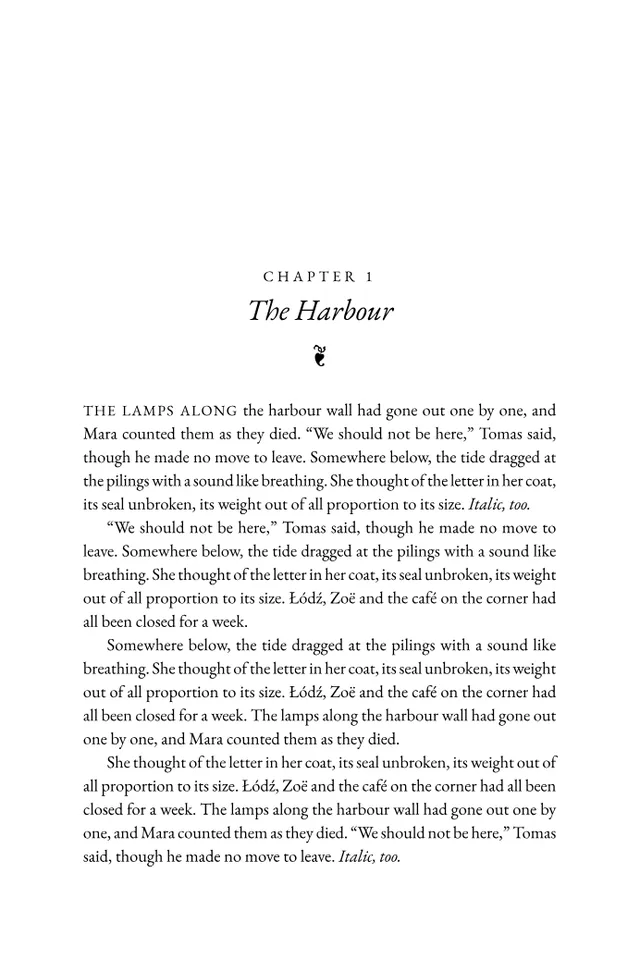
Classic
Garamond, justified, centred chapter openers with a fleuron. The traditional novel.
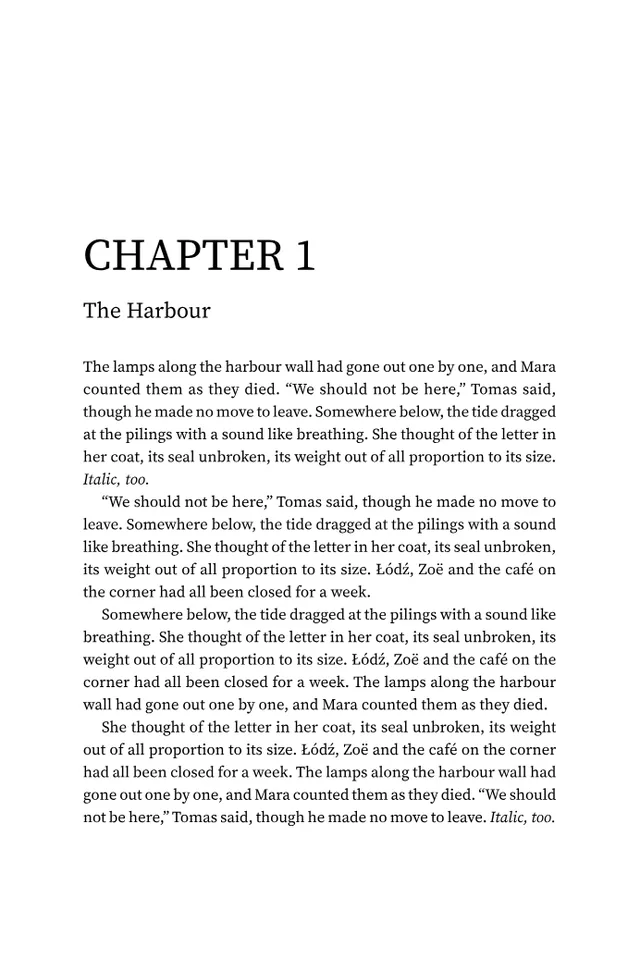
Modern
Source Serif with large left-aligned chapter numbers and clean running heads.
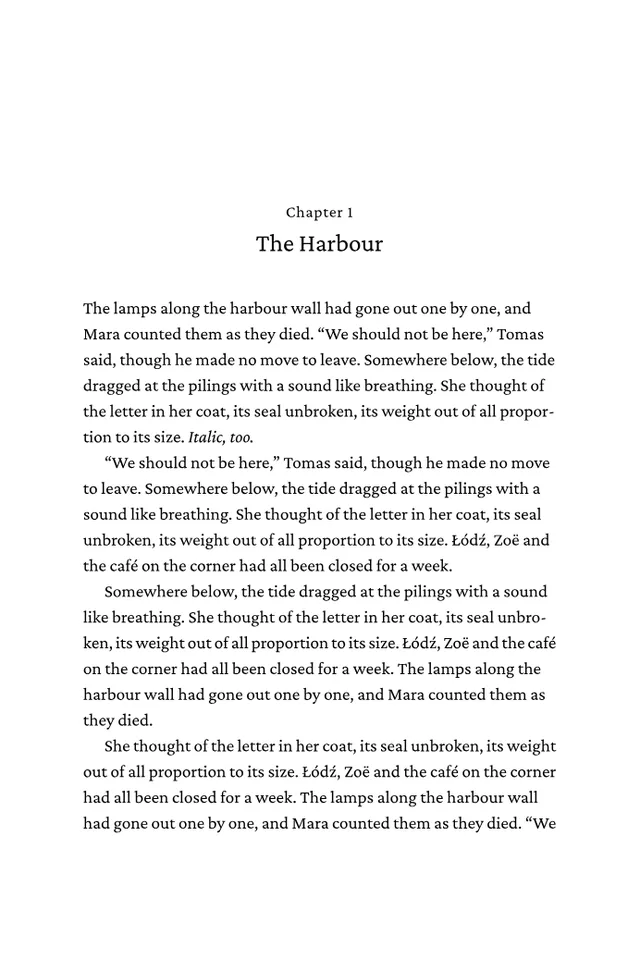
Minimal
Crimson Pro, ragged right, no running heads. Quiet and spacious.
Questions
- Does it work for IngramSpark too?
- Yes. Choose IngramSpark as the printer and the margins follow its rules (at least 0.5 in on every side).
- Can I use my own fonts?
- The three free templates use open-licence fonts. Template packs can bring other fonts, and the template format is documented if you want to make your own.
- What about ebooks?
- Export an EPUB for Kindle and other stores. The print templates apply to the PDF.
- Is it really free?
- Yes, including the three templates and the cover PDF. Optional genre template packs will be sold once.
Try it now. It takes a second.
Free, no account, and your book stays on your device.